Manage your finances clearly and efficiently
Budget Manager gives you a full picture of your income, expenses, budgets, savings and cash – in the browser, on your phone and through an AI assistant.
Music in the video: ZKG - Right Here · NoCopyrightSounds
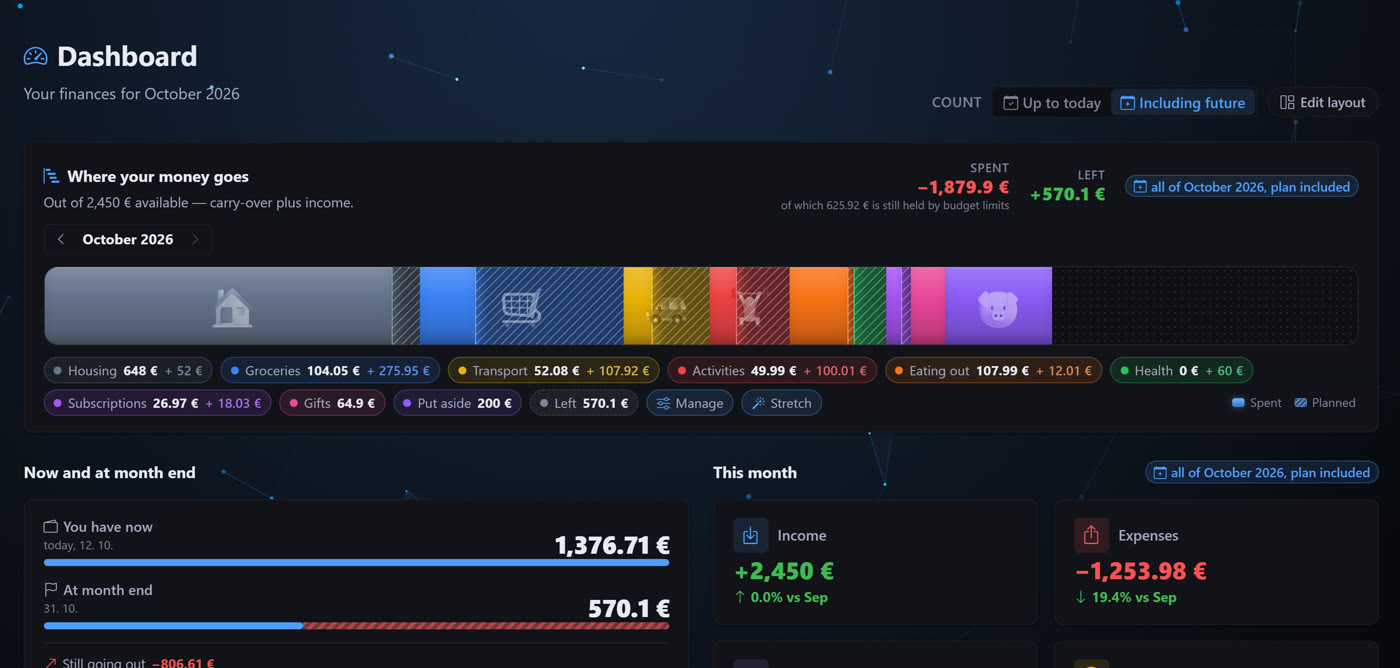
Dashboard and trends
The dashboard shows KPI cards for balance, income, expenses and average daily spending, a 6- or 12-month trend (or your whole history) with a forecast for the current month, the most used budgets and your latest transactions.
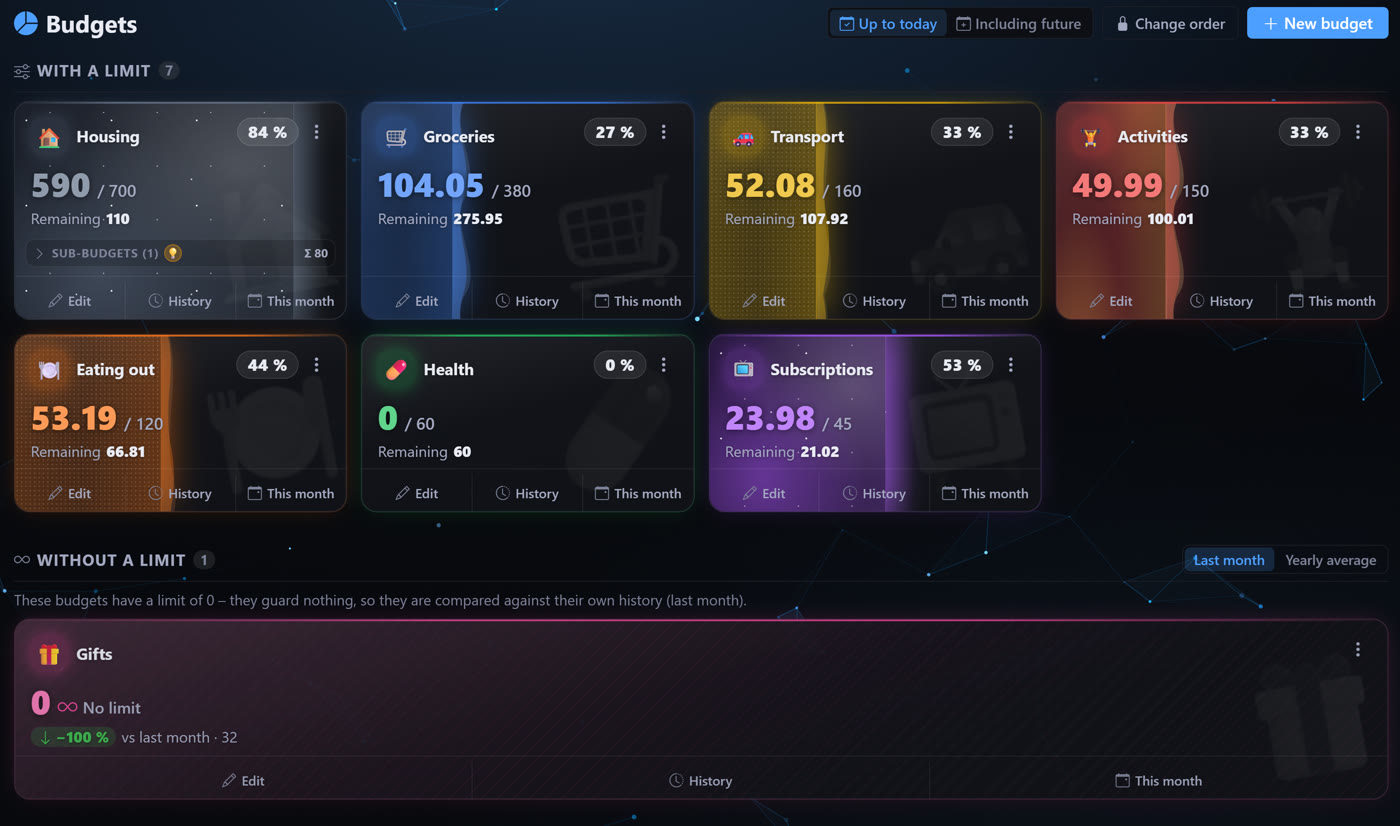
Budgets
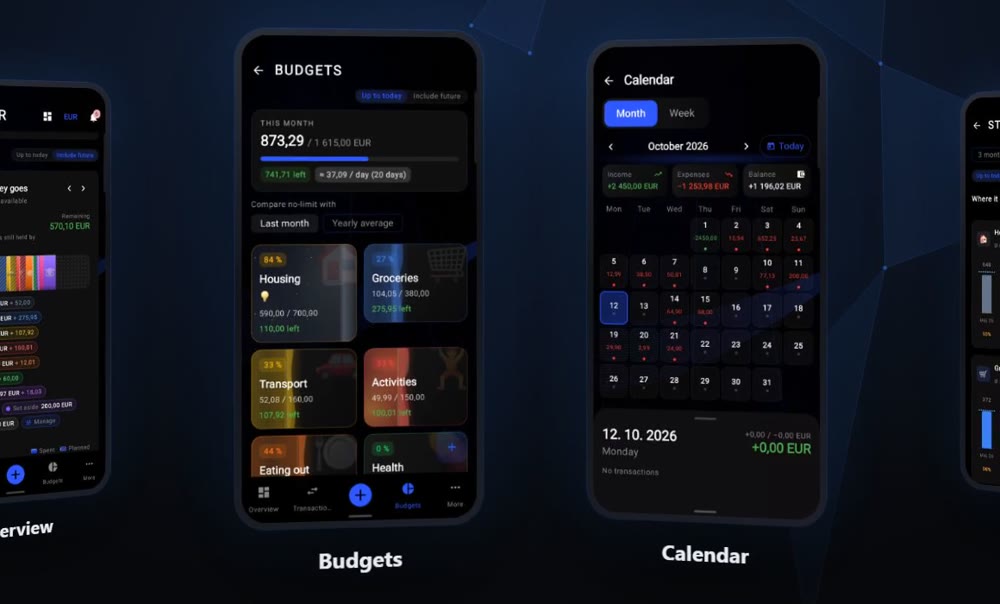
Create monthly, weekly or daily budgets with their own colour and icon. Watch spending in real time, override the limit for a single month and review the history of limit changes. A budget without a limit is compared against the previous month or the yearly average.
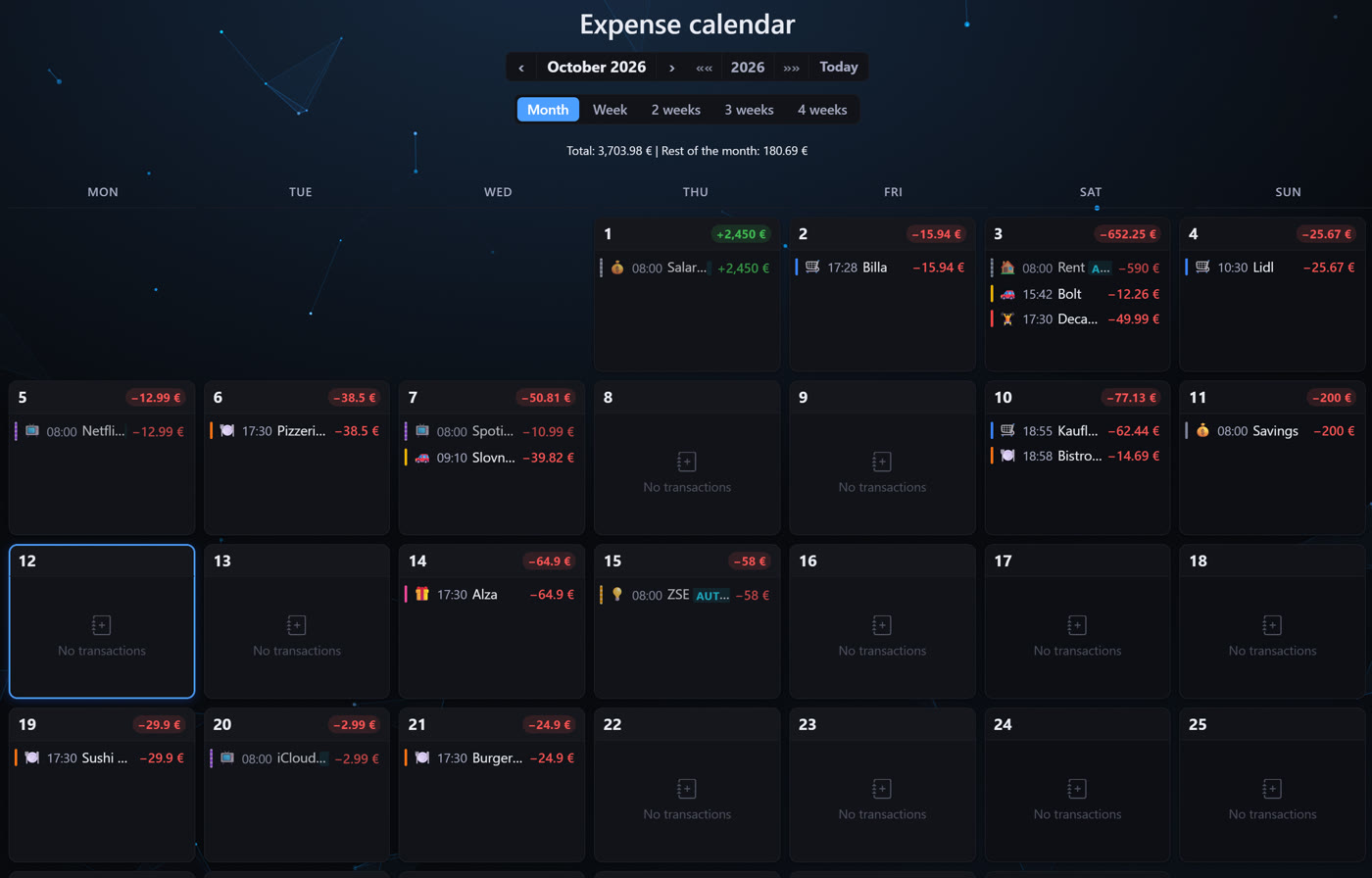
Expense calendar
Your transactions in a classic month calendar. Click any day to see everything that came in and went out – and add a new transaction right there.
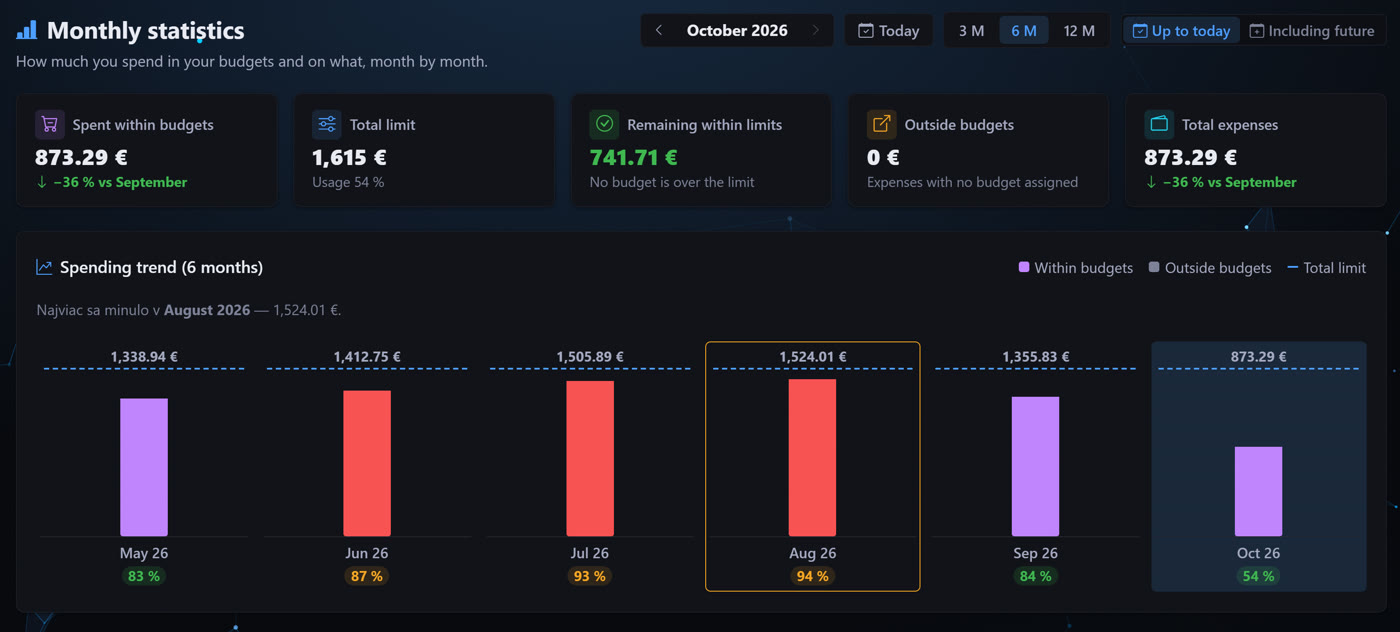
Budget statistics
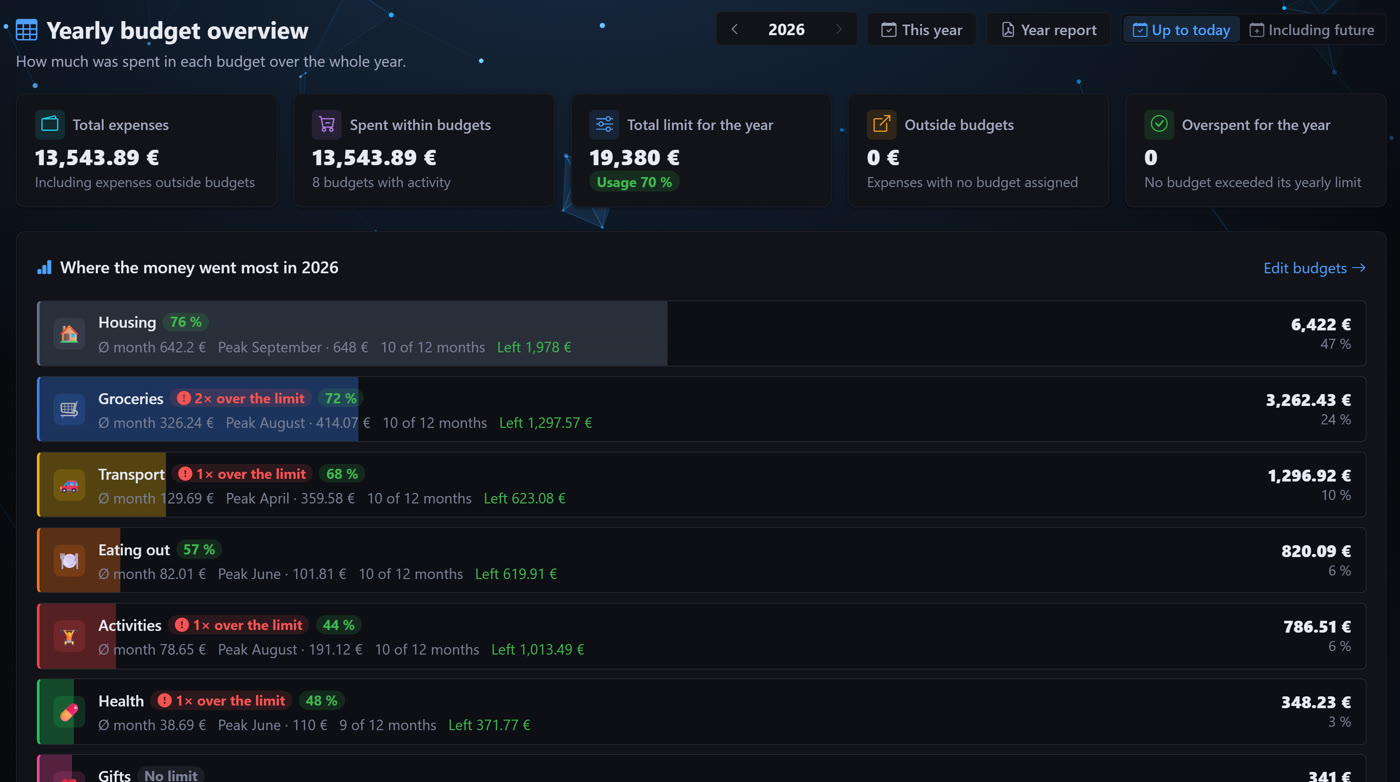
Compare months against each other, follow the trend of budget usage and see spending outside any budget. The yearly overview shows total expenses, the average month, the peak month and how many times you went over a limit.
Visual insights
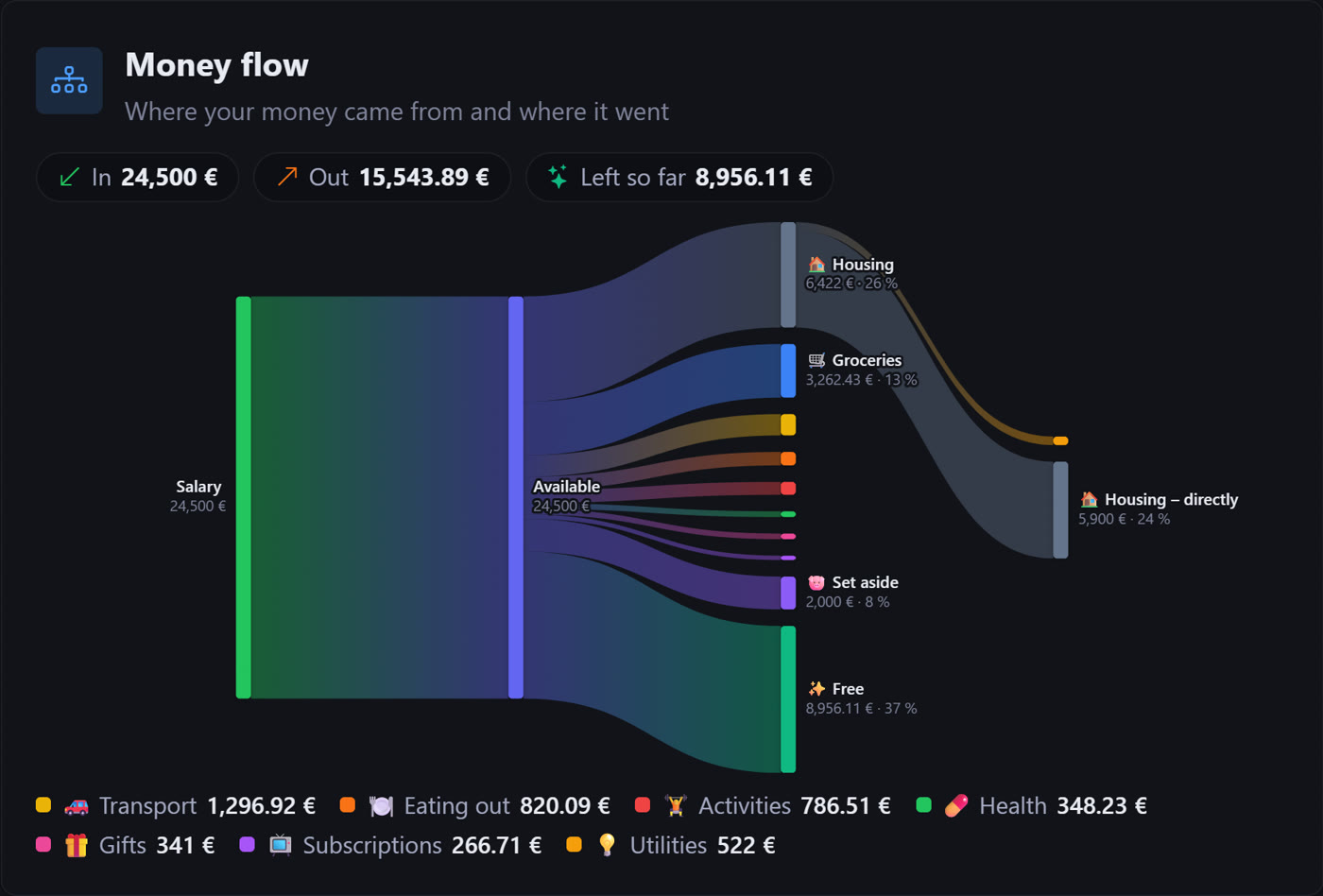
Money flow shows where your money came from and where it went. The year by day reveals pricey days and the spending map what takes up the most. Save the whole year as a PDF report, too.
Savings goals
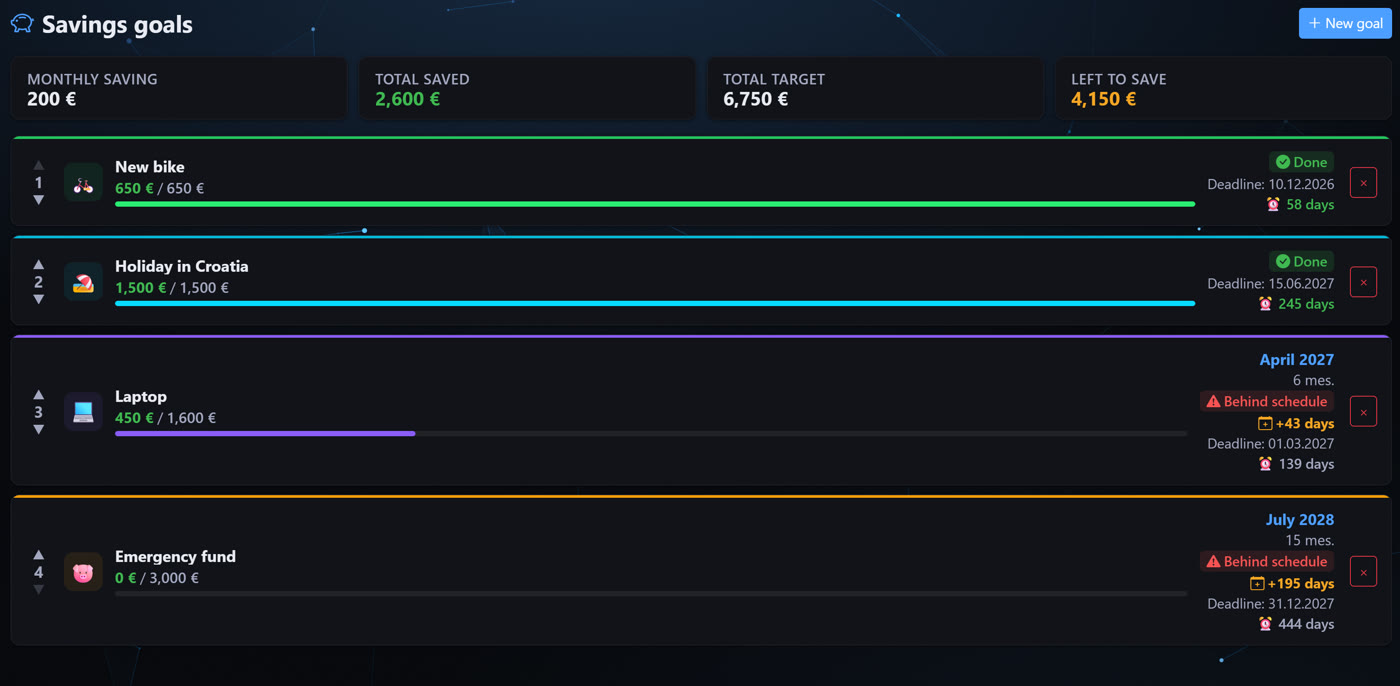
Set financial goals with a target amount and a colourful icon. The app projects the completion date from your monthly savings rate and shows the progress as a percentage.
AI assistant, API and mobile
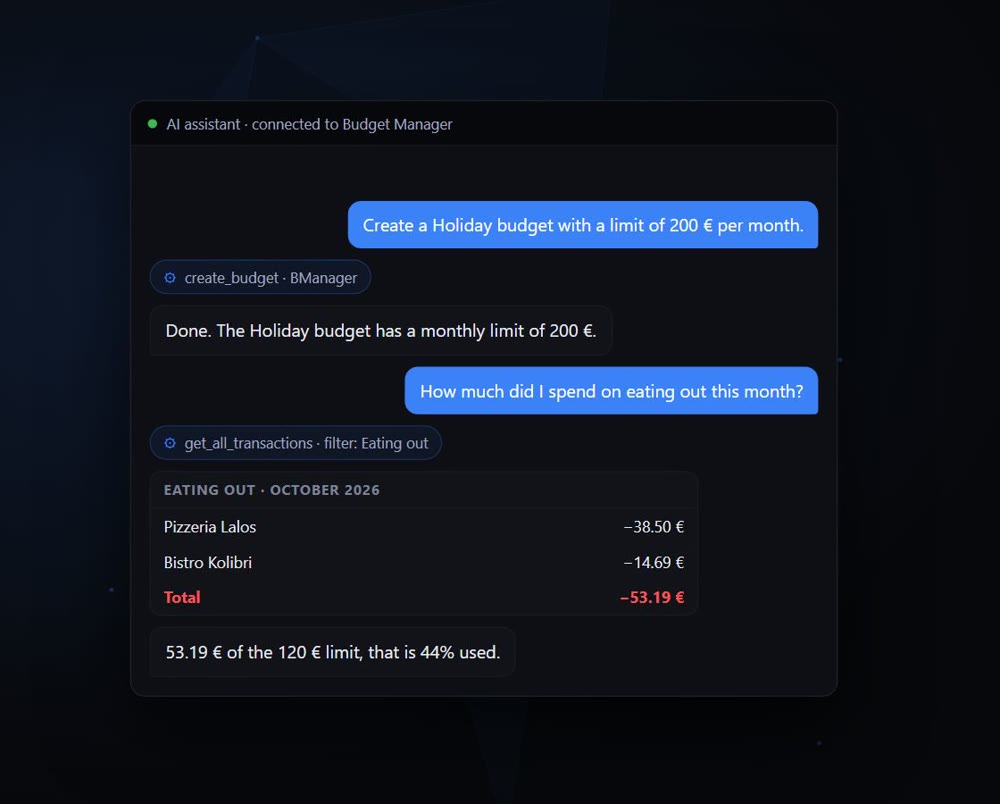
Connect an AI assistant (Claude, ChatGPT) over MCP and ask about your finances or have a transaction written for you. There is also a REST API and an Android app. When connecting you approve what the app may read and write, and new transactions from the API wait for your confirmation.
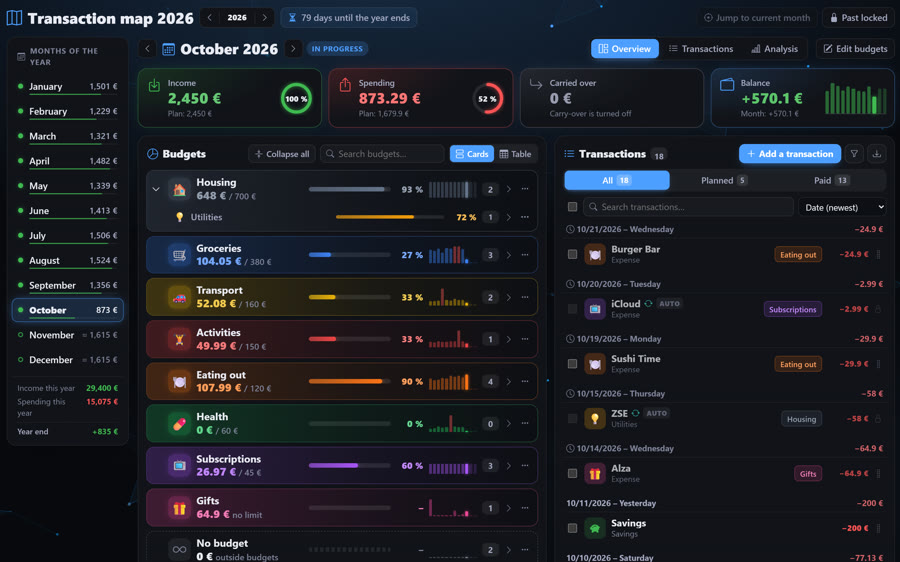
Monthly plan
The whole year month by month – what is planned, what has happened and what your balance will be.
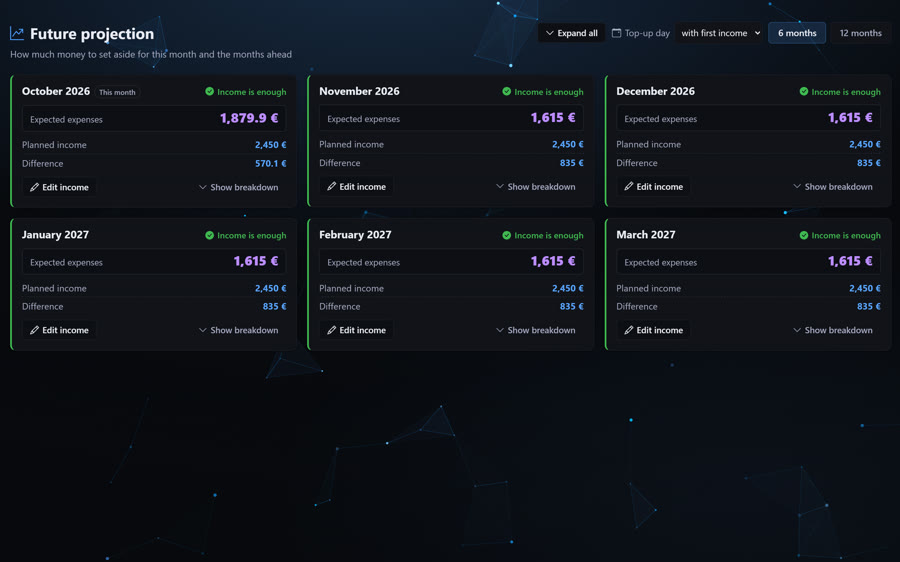
Projection
What your balance will look like in the coming months if you carry on as now – planned expenses included.
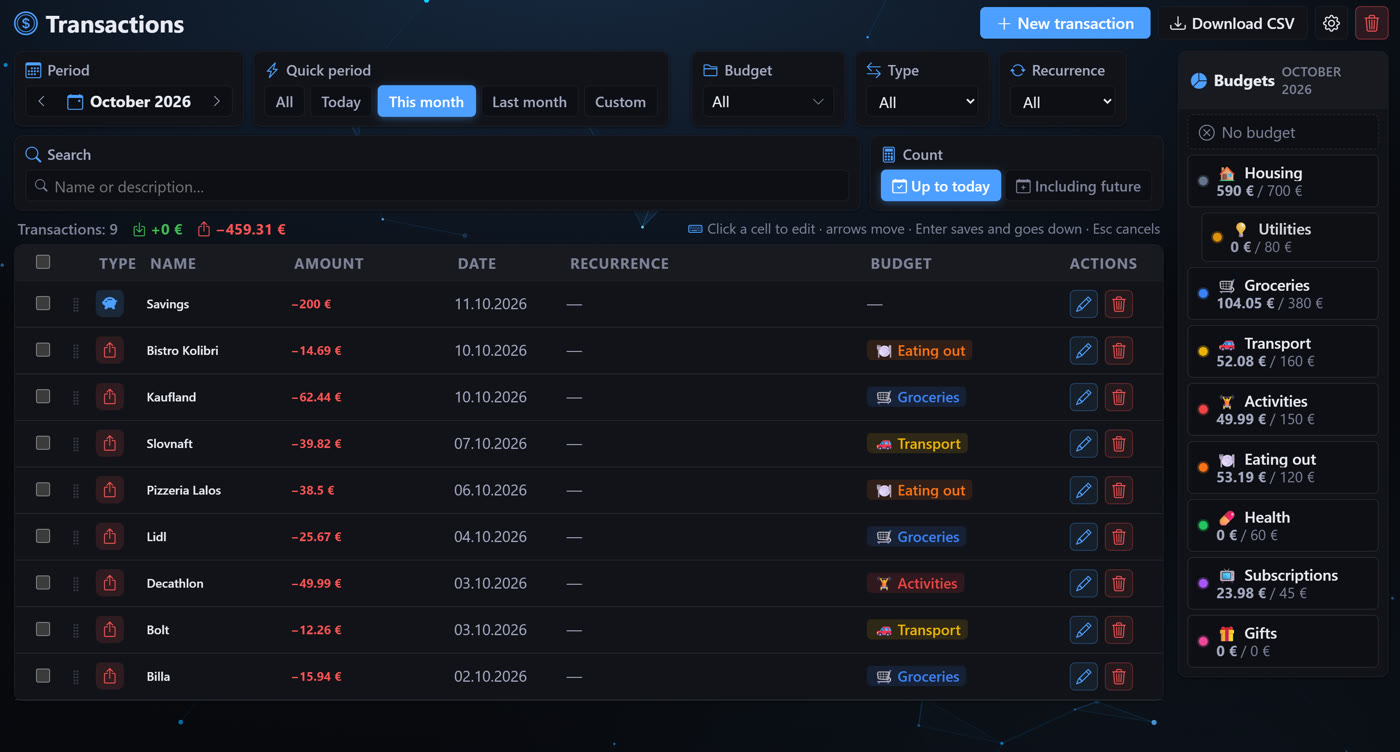
Transactions
All income and expenses with filters, search and editing right in the table.
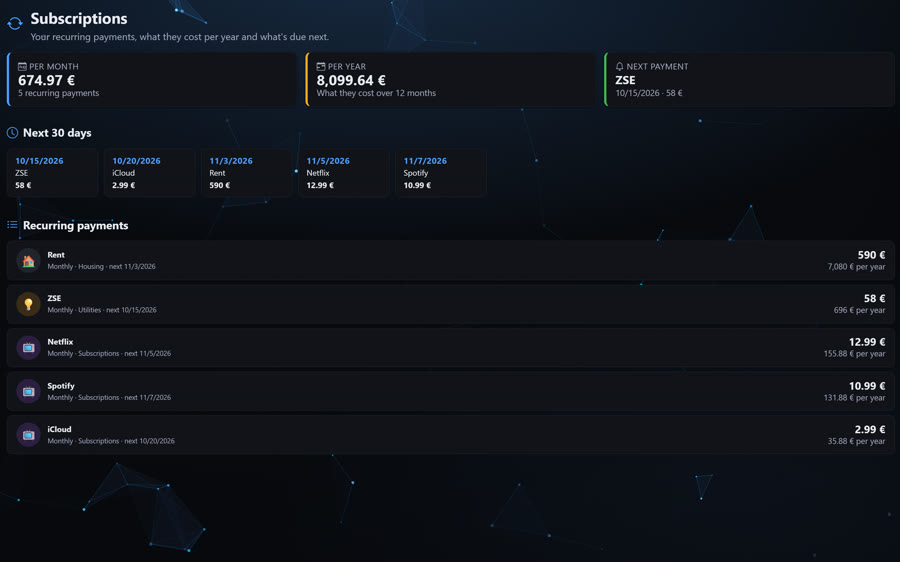
Subscriptions
All recurring payments in one place – what they cost per month and per year and when the next one is due.
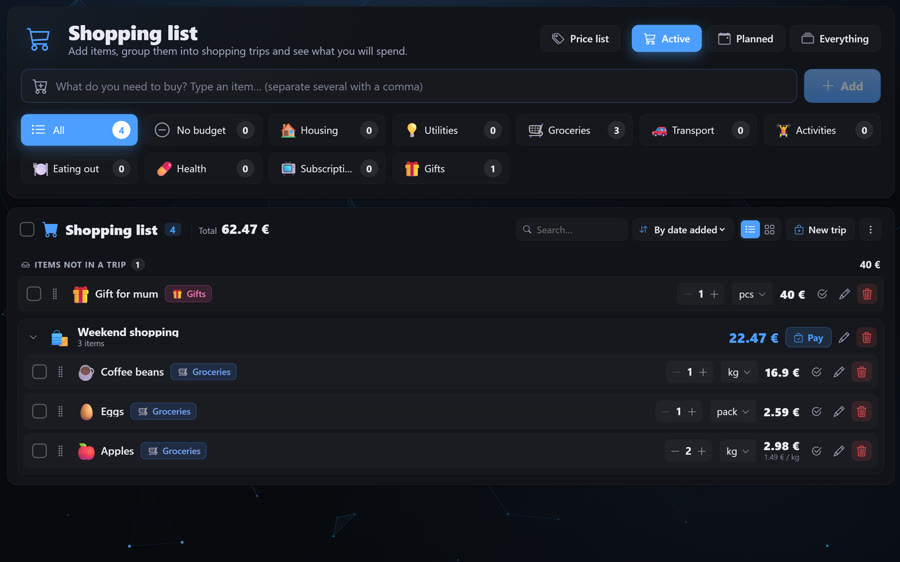
Shopping list
Items with an estimated price, split into shopping trips and budgets. Plan bigger purchases ahead.
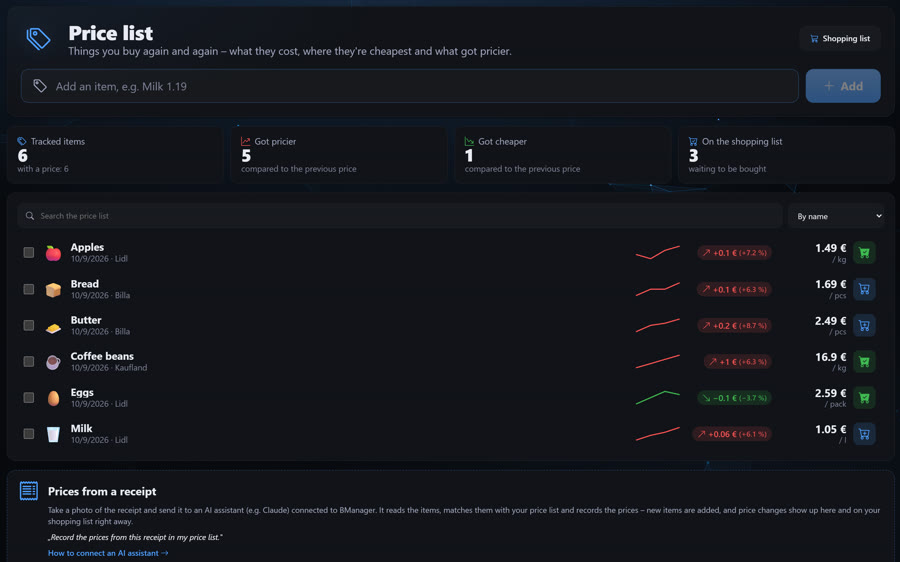
Price list
Track how the prices of things you buy change – even from a photo of the receipt on your phone.
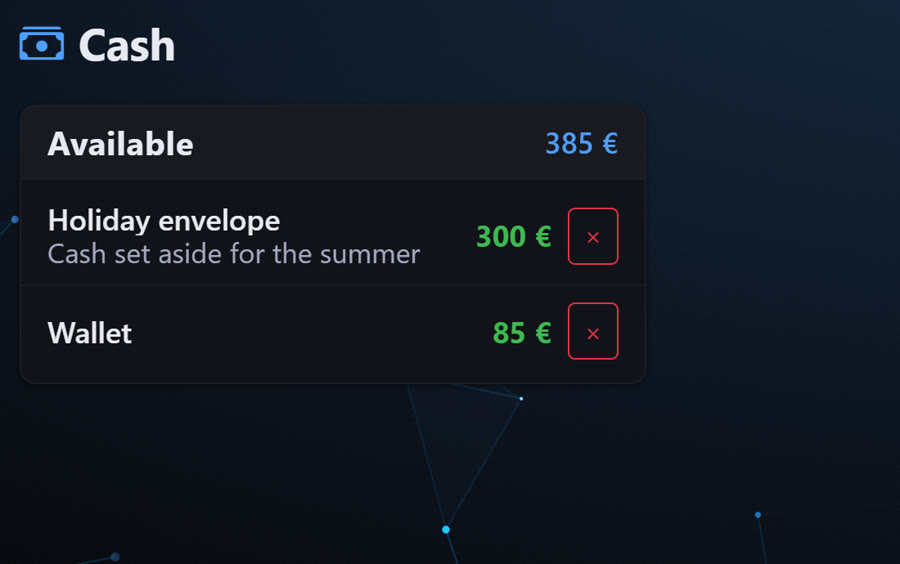
Cash and currencies
Cash in your wallet and in envelopes, in any currency.
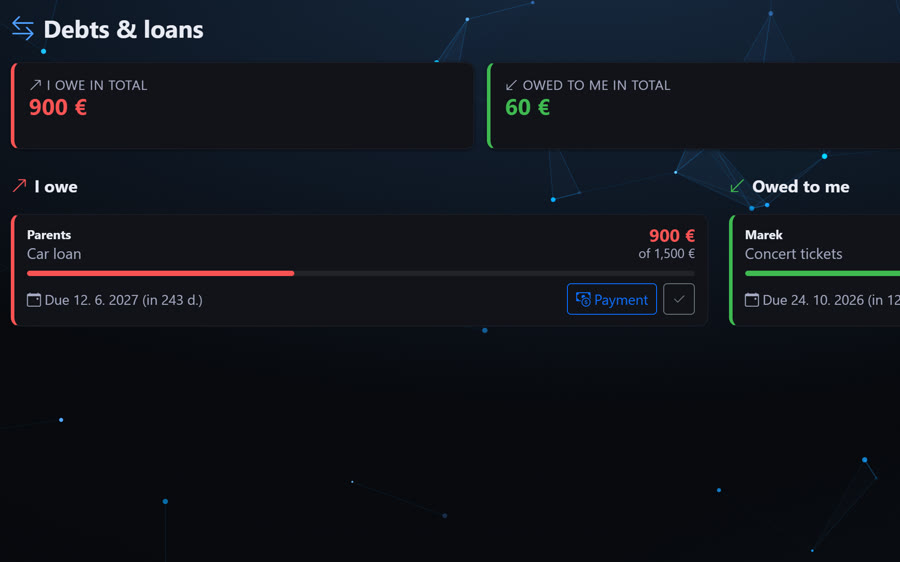
Debts & loans
Who you owe and who owes you, how much is paid off and when it is due.
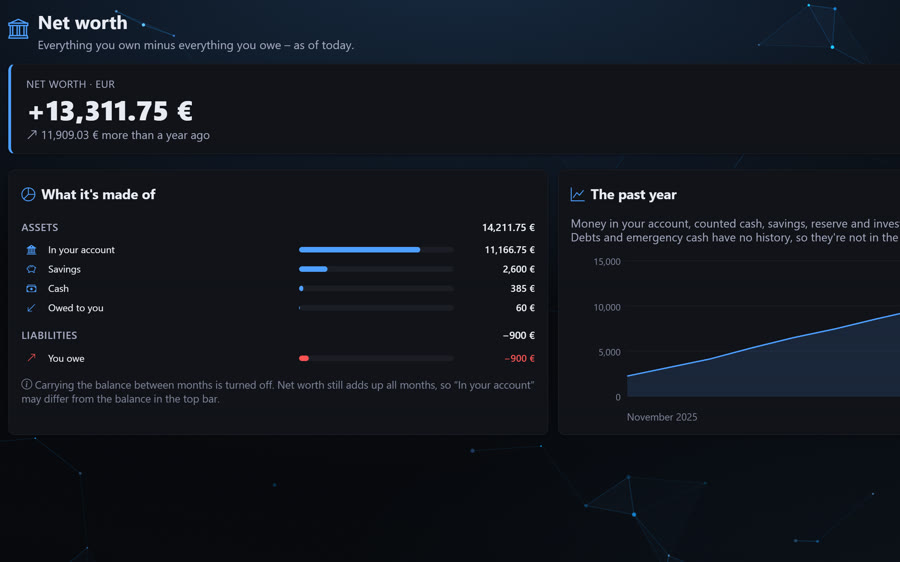
Net worth
Everything you own minus everything you owe – and how it has changed over the last year.

Month in a nutshell
A short story of how your month went – the priciest day, the biggest expense and a few surprises.
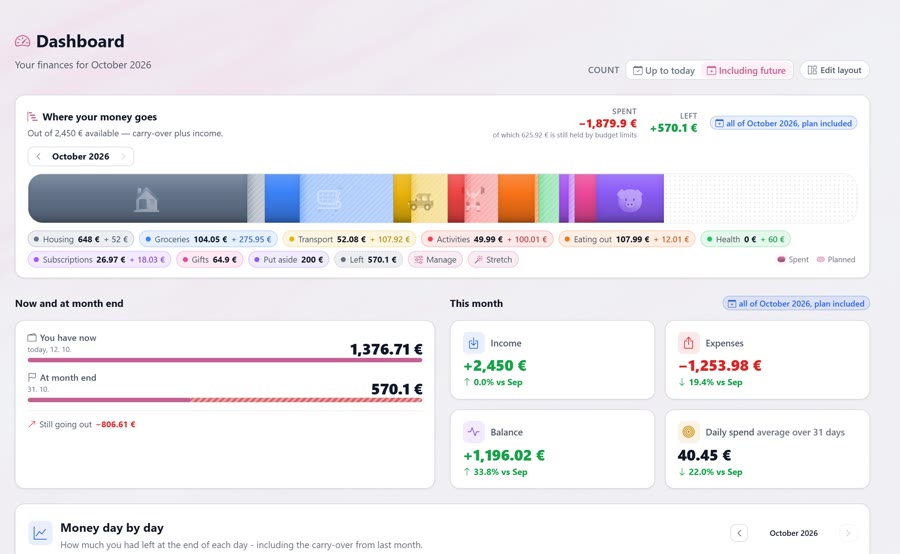
Appearance and languages
Color, background, light or dark theme, cards and fonts – your way.
Notifications
The bell in the header tells you when a budget is close to its limit or over it, when an API transaction is waiting for approval, when account settings change, or when someone signs in from a new device. Important alerts can also arrive by e-mail.
Security and sign-in
Sign in with a password or with Google and turn on two-factor authentication with an authenticator app and recovery codes. Settings list every active session and connected app so you can sign them out at any time, and the activity log records sign-ins and account changes.
Backups and your data
Download a backup of every record whenever you like and restore it just as easily. Automatic backups run in the background at the interval you choose. You can export your personal data and permanently delete your account together with all of it.